Claude skills, part 1
Plus, why most current third-party LLM skills are going to fade away in the future.

In this note, we will dive into some essential features that make our AI solutions more sophisticated. I am speaking about the thing called Skills.
In general, skills are wonderful add-ons that may increase the quality of every AI output.
However, before we dive in - you know that I am an enthusiast of reasonable and rational use of AI. This is why when you think about the things behind the hype, you must keep in mind that third-party skills may include harmful instructions. You also need to learn how to detect suspicious ones before you install them in your LLM.
This is why I want to cover that topic too. In the next edition, I will show how you may simply detect most of the threats inside third-party skills, and how to create your own. To not miss that, join Thalion’s Notes to get the note right into your inbox.
What are skills?
In short, skills are saved instructions, not apps. They are not, in their intention, a piece of software.
A skill is a custom and structured set of saved prompts. It is triggered at the beginning of the LLM’s work, when it detects, or you tell it, that the task may require it.
With a skill, you do not need to describe extra constraints and guidelines over and over again. They simplify repeatable prompts by filling the gaps in the LLM’s knowledge.
Skills are similar to so-called “Projects”. Claude projects may also include initial custom instructions with reference files. The difference is that this knowledge lives in the sandbox of a project, which makes it related to one topic. Skills may be used anywhere when working with an LLM. You trigger them manually with “/” and the name of a skill. The AI may launch one itself when it detects that a task may require a specific approach.
For instance, I have a project called “proofreader” that allows me to check typos and fix grammar mistakes. All threads within that project include a reply with fixed copy in Markdown format. If I were to ask it to translate the copy or perform fact checking, it would not do that.
However, I could easily prepare skills like /proofreading, /translate, and /factchecking if I wanted to use them in one thread session.
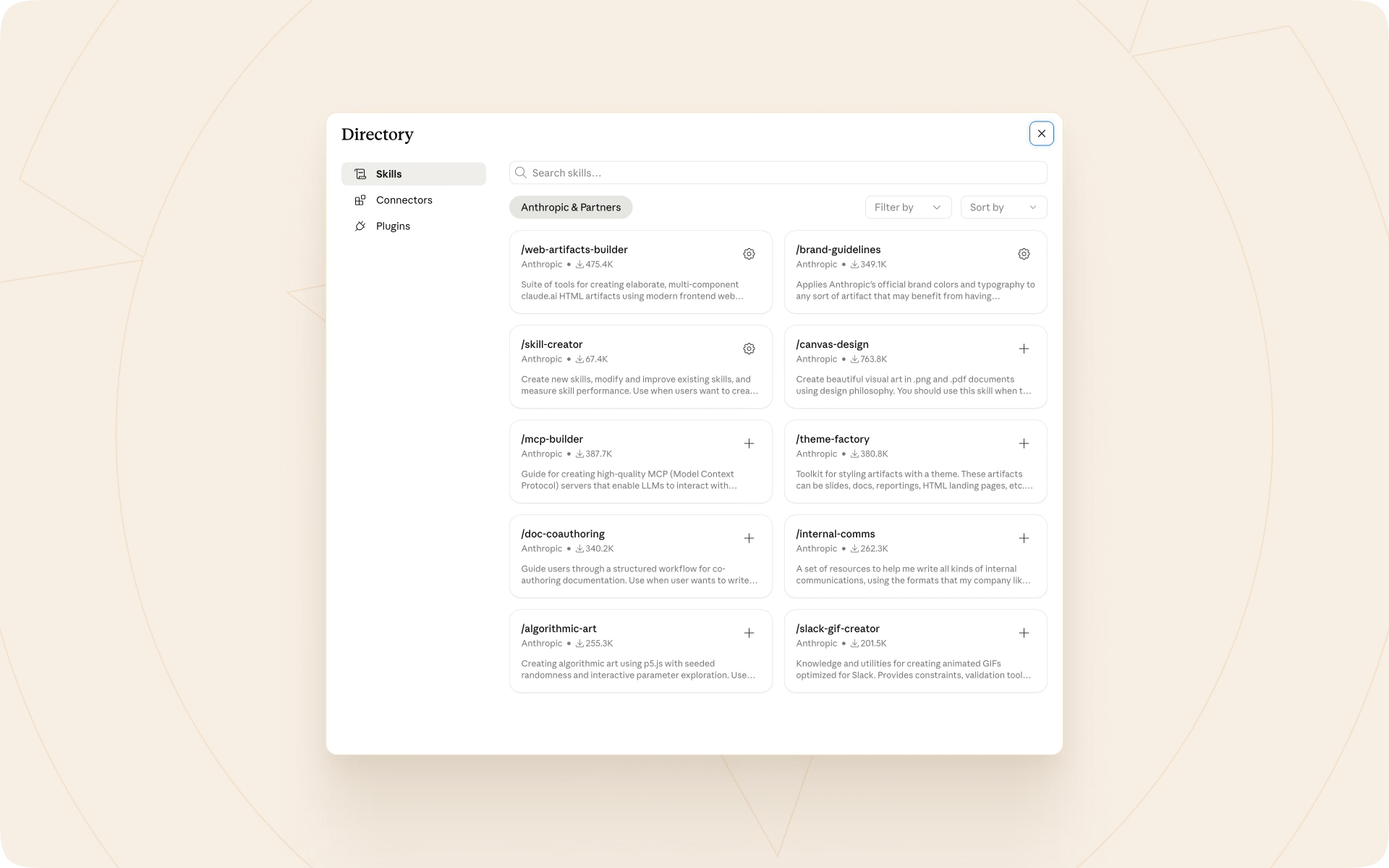
Anthropic delivers a bunch of official skills in Claude. To discover them, go to “Customize → Skills,” click the “+” icon, and select “Browse skills.”
Two categories of skills
When you think of skills, they may have really broad abilities. They may create a design in a specific way, perform a feedback session, audit accessibility, improve copy, build an entire brand palette, structure documents more clearly than the default setup, or prepare the project environment the way you and your client want it to be.
While the possibilities are unlimited, we may split skill types into two main categories:
1. Power ups
Skills that amplify and increase the quality of output. Let’s assume you want AI to prepare a website from a prompt, with no design references from Figma. By default, it will build something that looks like a generic AI template, so-called “slop.”
However, you may apply a skill that includes extra knowledge. It will describe the structure, show clear intention for each section type, propose alignment rules, plus a detailed color, typography, and spacing scale, or methods for how to set it up. You may include examples of what not to do, plus responsive design principles and accessibility best practices.
Thanks to all of this, the result, a website in our example, will be dramatically different from one made with a default Claude, Cursor, or Codex setup. This is a power up skill.
2. Workflows
Sometimes you expect AI to follow your way of working, a defined process, or to use specific resources. You want it to prepare a report with a specific structure, do benchmarking using already defined sites, or audit the design with steps you performed manually in the past.
This type of skill adds little or no knowledge to AI. Its main goal is to follow specific procedures. It is like giving AI instructions for building a specific LEGO set.
A good example is preparing a report draft. If your company uses a specific structure, you simply describe what steps AI should follow to build the same. The contents of the report will not come from the skill but from your extra input provided another way.
The role of the workflow skill is to follow the defined process to compose the output.
Many skills are going to fade away
While there is a huge amount of interest around third-party power up skills today, I believe that most of them will become obsolete within a year or two.
Imagine this situation: you are the only person among your friends who knows how to bake bread. Sometimes they order it from you to enjoy delicious, crispy, homemade slices. You have the skill. You know not only what ingredients to buy, but how to prepare them and bake in a specialized oven.
One day, a popular market runs a promotion on a new generation of bread machine. Your friends buy it with a bunch of recipes. The machine makes the dough based on inserted ingredients and bakes bread of almost identical quality to yours.
Your unique skill became the default baseline for everyone with an upgraded kitchen setup.
The same thing will happen to many, if not most, of today’s skills in the power up category. With every new model, AI gets better and better at every domain. This means that what we call “AI slop” within a year will be a thing of the past.
The thing is that due to the variety of tasks and the skills made to address them, it is hard to know when specific rules will become obsolete.
What I recommend is to do periodic benchmarking of custom skills. When a new model appears, ask Claude to prepare a task with and without specific skills. This way you will check if your custom instructions still add value to the default setup.
Next week
With this note, I do not want you to install any third-party skill yet, except the ones already available in official repositories of AI tools. As I mentioned at the beginning, installing instructions made by someone else in your tool and giving it access to your data and files on your computer may not be 100% safe.
Still, there are many well-prepared skills that could immediately improve task results. Next week I will show you how to perform an initial evaluation of a skill in terms of security, so you will be able to use them more confidently. We will use the option of creating a skill to do that.
See you in the next edition of Thalion Notes!