Claude skills, part 2
How to evaluate third party skills, plus why everyone should build at least one skill.

With the previous edition of Thalion’s Notes, I already covered the basics of Claude Skills, what those add-ons are, and how they are categorized. I mentioned that installing custom skills from unofficial sources can eventually lead to some trouble.
However, still, many of them are very helpful, so how can you be sure that the skill you want to use is safe?
This is why we need to learn how to detect and prevent from installing harmful skills. I will show how to build this first line of defense today, so you will be much more confident when installing third party skilss.
First, let’s start with a brief security reminder.
What can go wrong with third party skills
Since the initial announcement and introduction of custom skills, I was hesitant to install ones I can’t read and analyze on my own. The reason is simple: potential harmful activity that a skill could perform.
If you have no background in computer science or security, here is a sample list of potential threats:
First, a skill could inject a prompt to ask the AI to perform tasks you didn’t want it to do.
A malicious skill applied to Claude Code or Cowork could read, copy, move, delete, or exfiltrate any file on your computer that the AI agent can access. It could also write startup scripts or scheduled tasks that execute on login, creating persistent access even after the skill is removed.
AI tools may have access to clipboard content and screen captures, making a third party skill a potential vector for credential theft. Solutions like Code or Cowork automate actions in your apps - think of accessing your email client, browser, or photo library without your knowledge.
A corrupted skill could also use Claude that has specific permissions and connected apps to compose and send emails or messages on your behalf to manipulate your family, friends, or any other contact.
How to evaluate third party skills upfront
To avoid such situations, you need to verify custom skills before installing them on your computer. Here is what you should pay attention to:
1. Credibility
The official built-in “marketplace” in Claude gives us confidence that a specific add-on won’t be harmful.
When going further, many notable open source skills are already published on platforms like GitHub. There you can check the popularity, number of stars, how many forks were created, and what issues have been reported. You can also track the author’s reputation - how long the account has existed and whether they have other projects.
When looking for skills that are not published on a platform like GitHub, it’s good to search for reviews of those skills and check whether users report any problems.
2. Transparency
I mentioned GitHub in the previous point for a reason. Code published there can be read without downloading the repository. You can also check the license and the author’s stated responsibilities.
In most cases, a skill is written in Markdown, which is a human-readable format, so you should be able to go through the documents on your own. However, many skills also include pieces of code and scripts that should be reviewed as well, though these are harder to understand for people who don’t code.
3. Security threats
There are many techniques that can be used to exploit a skill in ways you haven’t anticipated. A few are easy to spot:
Prompt injections - instructions that try to override your original prompt and do something else in its place.
Undocumented connections to servers or MCP - these may be used to leak and send your data to a bad actor.
However, many threats are harder to notice if you are not a developer. A few examples:
Obfuscation - while this technique is widely used to prevent others from stealing or breaking your code, seeing any non-human-readable fragments in a skill’s scripts may be a sign of unclear intentions.
Malicious code patterns - pieces of scripts that activate harmful activity.
Backdoors and hidden functionality - elements that, once launched, may open a path for further AI tool or device infiltration, or trigger unintended activity.
Extra dependencies - the skill itself may not include any harmful behavior, but it may have instructions to install a script that activates malicious activity.
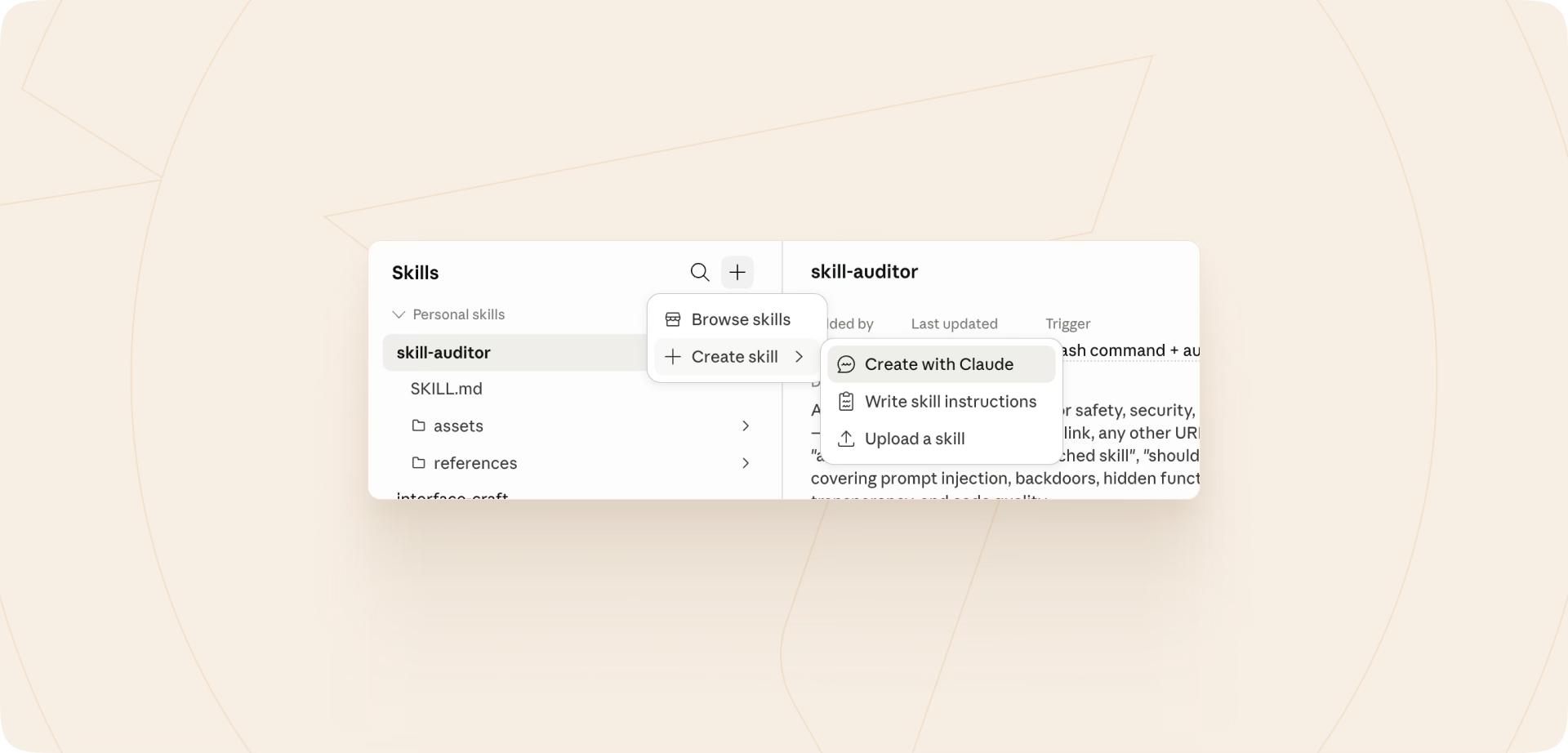
Based on this information, I have built my own Claude skill - the auditor, which runs through a repository or folder and generates an extensive report, plus a summary with an overall rating of whether the solution seems safe, generally fine, or risky, or whether you should not install it at all.
Everyone should build that skill
Claude does not have a built-in evaluator for skills from other sources. Installing a third party skill could be the first vulnerability you introduce to your AI tool. This is why I am not publishing the skill auditor I built on my own. I would like you to use the knowledge above - maybe even extend it with further findings or procedures - and build a skill auditor on your own.
This way you will have both applied knowledge of how to create a new skill and the tool to evaluate ones you would like to use in the future.
Believe me, creating your own skill is more straightforward than you think.
You can easily start a chat by asking Claude to build the skill together, or you can open Claude Desktop, go to “Customize → Skills,” click the “+” icon, and select the desired option.
In most cases it comes down to a conversation with the AI and, at the end, a request to install it as a skill. It’s that simple.
Next steps
Now that there are no more excuses, build your own skill auditor. Then you can start using it to verify whether third party skills are reasonably safe or show signs you need to be aware of.
Let me know how it worked.
Good luck!